Latest AI News

SoftBank says it will invest up to €75 billion to build French data centers
SoftBank Groupannounced todaythat it plans to spend up to €75 billion (around $87 billion) to expand data center capacity in France. The goal, the firm said, is to develop and operate up to 5 gigawatts of additional data center capacity. The first phase of the plan involves building data centers in Dunkirk (Loon-Plage), Bosquel, and Bouchain to deliver 3.1 gigawatts of capacity to the Hauts-de-France region by 2031. SoftBank, which isboth an investor in and customer of OpenAI, says this will be its largest AI infrastructure investment in Europe. In a statement, French economic minister Roland Lescure described the announcement as a “testament to President Emmanuel Macron’s ambition to position France as a leading destination all along the AI value chain.” In the United States,opposition to data center construction is heating upover environmental concerns, as well as questions about how data centers affect the electrical grid and utility prices. Nonetheless, SoftBank earlier announced plans to build a data center in Ohio,powered by a new 9.2 gigawatt natural gas plant.
View
I put Google’s 24/7 AI assistant Gemini Spark to work, and it’s actually pretty useful
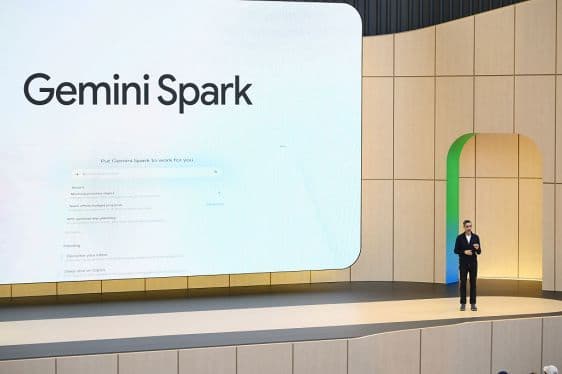
Gemini Sparkis Google’snew 24/7 agentic assistant, designed to help you help you “navigate your digital life,” which essentially means getting your online to-dos done, summarizing the things you don’t have time to read (like the entirety of your inbox), or organizing something that would have otherwise involved too much screen time-filled manual labor, like a personal expenses spreadsheet. The service was firstintroducedat Google’s annual developer conference in May, where CEO Sundar Pichai joked that Spark, which runs on virtual machines in the cloud, means that “yes, you can close your laptop.” The in-joke here is that he’s comparing Spark to other agentic AI systems, like the ever-popular OpenClaw, which require keeping the machine awake to run its tasks. Spark, he’s suggesting, is agentic AI for the rest of us — those who would rather get things done without nerding out about it by setting up an always-on AI machine. In practice, Spark is still very much designed for work-adjacent tasks, given its integration with Google’s productivity apps like Gmail, Calendar, Docs, Sheets, and Slides. (After all, how many times are you preparing a deck for in your personal life? Unless you’rea Gen Z creator explainingthe latest meme to your chronically offline friends, that is?) Google also struggles a bit to come up with real-world examples that would convince someone that Spark is a “must-have” rather than a “nice-to-have” tool for personal use. Among its suggestions for “personal productivity” is using Spark to scan your emails and calendar for the day and send you a recap with your top three must-do tasks,” which already assumes you are a person who jots down your to-dos in a calendar or email app, instead of a notepad (virtual or otherwise), or just keeps a running list in your brain. (E.g.,Grab prescriptions and shampoo at Walgreens. Buy more dog food. Hang out with friends on Saturday.) Google also suggests you could use Spark as a weekend planner, by drafting a Google Doc “suggesting three free activities based on my open calendar blocks for the upcoming weekend,” which, again, assumes you are some sort of scheduling nerd in your offline life. Nevertheless, with early access to Gemini Spark, I decided to put it through its paces, with what are perhaps some real-world suggestions of my own. I came away surprised that it was a fairly useful implementation of consumer AI, but not one that deserves to have its own brand. For one initial task, I asked Spark for help with a shopping-related research. The idea was to help me with an everyday local drugstore trip for household items, so I asked Spark for product suggestions based on weekly deals and coupons I could clip. At first, Spark seemed to do pretty well here, as it told me exactly what products were on sale that matched my needs, and suggested coupons to clip in the Walgreens app for extra savings. It even suggested how I could stack coupons for one item by combining online promo codes, if I were placing an online pick-up order and was planning to spend more on personal care items. However, as is often the case with AI, the devil was in the details, as one of the promo codes was invalid when I tried it, despite meeting what the AI said were the requirements. Still, Spark pointed me to some other savings — like buy-one-get-one-free and rewards deals that made up for this gaffe. In another test, I asked Gemini for help with a packing list for a day trip out of town. I asked it to check the weather, gather the event details, and make suggestions of what to bring with us, like sunscreen or water, to see what it would come up with, after it learned more about the activity. I asked for the final list to be imported into Google Keep. Guess what Spark can’t do? Use Google Keep. That’s a huge oversight, given that Google’s notetaking app would be essential for anything in the realm of personal productivity. Instead, it offered to make me a doc or draft me an email because, sure, that’s the sort of thing I’d want to check for my list of to-brings. (??) In terms of the list itself, however, Spark was spot-on, suggesting lawn chairs or blankets, water, sunscreen, sunglasses, a light layer for when the sun goes down, a reusable shopping bag, and an umbrella for possible light showers that day. It also reminded me that dogs were not allowed, despite the event being outdoors. (Sorry, Princess!) My child has aged out of summer camps for kids (and should probably just get a job), but before we went that route, I wanted to scour the local area to find out if there were any summer activities available for teens that she could do in addition to her engineering camp in June. I asked Spark to do a thorough search and find any and all suggestions, keeping in mind that we would not want to drive more than around 30 minutes. Spark generated a decent list of ideas for activities that matched my child’s interests, and plotted out how far they were from home. Unfortunately, I forgot to prompt Spark to get the costs or dates of the programs, and it didn’t bother to tell me, which meant I still had to do more manual research on my own. Like many, I subscribe to too many newsletters, so I put Spark to work on preparing me a weekly summary, which would arrive every Friday, focused only on the top five posts or articles I shouldn’t miss reading, along with a link. The AI got to work, digging into my inbox and, within moments, had presented a summary of several interesting articles to read that included context and a link. (The link ended up being a Google.com redirect that didn’t work — I had to click the link displayed on the redirect page, as it never automatically sent me to the site in question.) While I generally liked the suggestions, Spark only returned four articles to read when I had requested five. Spark had interpreted the request as “4-5” for some reason. For another request, I asked Spark to compile a list of weekend activities around town for me on Fridays, so I can get to planning my weekend fun. As someone who lives in a smaller city, there aren’t always big events or things to do, so making sure you don’t miss the anticipated street festival or hot show when it comes to town is key. But there’s no single source to find everything there is to do — you have to read multiple local newsletters, visit websites and Facebook Groups, read the newspaper online, and more. Spark instead set up a web search, combined (at my request) with a search of my Gmail for any relevant local newsletters, digests, or lists with keywords indicating a local activity suggestion. It then compiled a list of upcoming weekend events and noted that if I wanted to add any to my calendar, I could just reply. If it wasn’t for Spark, I would have never known there is an Annual Beaver Queen Pageant nearby, which apparently features people in beaver costumes raising money for wetland conservation? OK, I might need to check that out. (You still have to tell Spark to add it, then click a button to confirm, but this is easier than the manual labor of reading through so many sources for ideas.) For my last request, I set Gemini Spark to work on tracking price drops for an expensive eye cream. As a penny-pincher, I’d never buy it unless there was a crazy sale. I wanted Spark to keep track of the price changes for me and alert me if the eye cream ever became more affordable. However, Spark’s interpretation of this request was to simply recheck the price every two weeks to see if it dropped below my target. I’m not sure that would be frequent enough to spot a deal. (I’ll update if the results are successful, but I believe I’ve set too low a bar as my target — even after raising my bar by another $10! — so this is probably just wishful shopping at this point. But I’m always hopeful some online retailer will make a pricing mistake one day!) I can already see how I’ll be able to integrate Spark into my everyday life in other ways, too — I already have ideas for more email monitoring and cleanup tasks, for instance. The next time I change the home’s air filter, I’m going to ask Spark to remind me in three months to swap it out. If I ever get around to taking a vacation, I’ll probably have some tasks for it then, as well. While Spark already performed fairly well on my tasks with only small quibbles, the biggest criticism I had was that there’s no need for this to be a standalone product with a different branding. I think that adds to consumer confusion in this day and age, where there are so many things happening in the AI space, and where every new model has its own name and number, and some of these are quite wild. (Nano Banana, anyone?) Why not just pitch Spark as something Gemini can do out of the box, instead of making it its own product? Why does the toggle have to say “switch to Spark,” instead of just “switch to Tasks?” (If it even needs to have its own space in the user interface!) I personally don’t want to carry the mental load of trying to determine whether something is a question or a task; I just want to type in a question or request and be done with it. I also think the lack of Keep integration is a major miss in terms of being helpful with your personal productivity. Google Docs is overkill for a packing list. And, unfortunately, for iPhone users, tapping into Gemini Spark directly from your device through a push of a hardware button or gesture won’t be possible — unless Apple announces this at next month’s WWDC? Instead, you’ll need to launch the Gemini app and use it from there. (Another issue with having Spark as its own toggle within Gemini — you can’t program the iPhone’s Activity Button to go directly to Spark, which is separate from Gemini’s chatbot interface. How great it would be if everything Gemini does were all in a single destination! Ugh!) And while Spark will later be able to do more with MCP integrations, not being able to set it to perform certain tasks, like booking your favorite date night restaurant regularly through Resy or looking for flight deals on a preferred booking engine, for instance, makes Spark feel somewhat lacking for the time being, given that not everything you do online takes place in Google’s universe of services. (Also, I’d really like to text Spark. I wish that were an option, too.)
View

Meta is reportedly developing an AI pendant
Meta is developing an AI-powered pendant that it plans to start testing in the next year, according to a memoviewed by The Information. This device would presumably build on the work of Limitless, anAI device startup that Meta acquiredat the end of 2025. The startup made an AI pendant that users could attach to their shirt or wear as a necklace to record their conversations. At the time, Meta said the acquisition would allow it to “accelerate our work to build AI-enabled wearables.” Earlier AI wearables have failed to catch on with consumers — perhaps due toprivacy concerns and tone-deaf marketing, or perhaps because theyjust weren’t that useful. But companies like OpenAIaren’t giving up. The memo also reportedly states that the company is planning to expand its lineup of AI glasses and launch a business subscription called Wearables for Work. With all these planned devices, Meta is apparently hoping to reverse the fortunes of its hardware-focused Reality Labs division, whichlost $4 billionin the first quarter of this year. TechCrunch has reached out to Meta for comment.
View
‘What a joke’: Github Copilot’s new token-based billing spurs consternation among devs
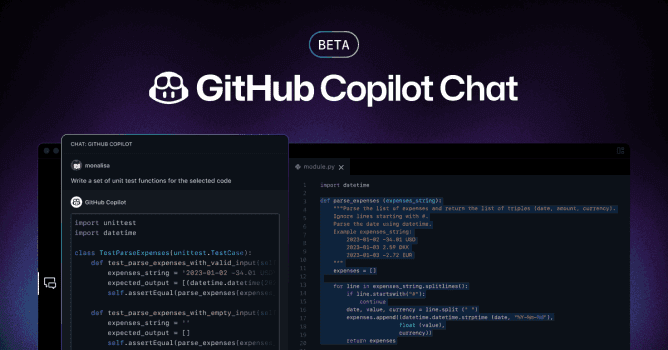
The golden age of Microsoft’s Github Copilot appears to be at an end — for the little guy, at least. The company is switching its billing system from a flat subscription rate to a token-usage system that has the potential to bill users at a significantly higher rate. Bigger enterprises may still have the juice for it, but smaller companies and workers could find themselves wondering how they’re supposed to balance the monthly budget. The changes, whichwill take place June 1, mean that users will charged based on how many tokens they burn through as they work instead of a low flat rate based on requests. Some developers with financial whiplash have taken to places like Reddit and X to bemoan what — in many cases — appears to be a drastic escalation in cost. “What a joke,” one Redditorrecently wrote, claiming that, while they currently only pay around $29 per month, the new rate will balloon their costs to nearly $750 a month. “This new usage model is just stupidly expensive. I’m adjusting mine by cancelling. At that cost, it is no longer cost-effective or useful in any practical way.” Anotheruser posted“WOW, didn’t expect new pricing model to be this ridiculous,” sharing a screenshot that appeared to show that their costs had shot up from around $50 to some $3,000. The increases sound extreme. However, some Copilot users have bitten back at this criticism — noting that, if you know what you’re doing, you really shouldn’t be blowing through quite so many tokens on a regular basis. The people spending this much are vibe-coders with little actual development knowledge, those critics maintain. “The vast difference between some of us working all day and still barely having overage and then these screenshots. I struggle to believe it’s complexity differences in the workload,” wrote one user. “The only way it gets crazy like that is if you are purely ‘vibe coding’ with a ton of bloated iterations,” they later added. “It’s pretty affordable for even small outfits if used as a tool, on pretty much any provider.” Others have focused on the mind-boggling economics behind the company’s previous model. “Holy fuck how much money was copilot losing,” one Redditorasked in a recent post. It’s a good question. The economics behind Copilot have not always seemed so easy to grasp, and the amount that the company must have spent to subsidize the ongoing vibe-coding escapades of its user base is similarly mysterious and hidden from public view. While some have criticized the changes and others have critiqued those critiques, still other online voices have argued that developers have a perfectly good reason to be upset, given that Microsoft encouraged users to use its chatbot indiscriminately and now appear to be pulling the rug out from under them. “To all the people blaming…the people who actually used the system the way that Microsoft built it (and even encouraged it to be used this way), honestly the only one at fault here is Microsoft. Microsoft provided this billing method and they kept making it easier and easier to burn through massive numbers of tokens on single premium requests that could churn for hours or even days while spawning dozens or even hundreds of sub-agents,” one user wrote. TechCrunch reached out to Microsoft for comment, but did not hear back by publication time.
View

As the browser wars heat up, here are the hottest alternatives to Chrome and Safari in 2026
Google Chrome and Apple’s Safari currently dominate the web browser market, with Chrome holding a significant share due to the tech giant’s ongoing innovations, particularly in integrating generative AI into its search functionalities. However, users seeking alternatives will find a variety of browsers aiming to challenge these industry giants. To help navigate the competitive landscape of the browser wars, we’ve compiled an overview of some of the top alternative browsers available today. This includes browsers leveraging AI, open source browsers that promote customization and privacy, and “mindful browsers” — a new term that refers to browsers designed to enhance user well-being. Perplexity is the most recent startup in the space tolaunch an AI-powered web browser. CalledComet, the company’s new product acts as a chatbot-based search engine, and can perform actions like summarizing emails, browsing web pages, and performing tasks such as sending calendar invites. It’s currently only available to users with Perplexity’s $200/month Max plan, but there’s also a waitlist where people can sign up. The Browser Company, the startup behind the Arc browser,recently introducedDia, its AI-centric browser that looks similar to Google Chrome but with an AI chat tool. Currently available as aninvite-only beta, Dia is designed to help users navigate the web more easily. It’s able to look at every website that a user has visited and every website they’re logged into, enabling it to help you find information and perform tasks. For instance, Dia can provide information about the page a user is currently browsing, answer questions about a product, and summarize uploaded files. To get early access to Dia, users have to be an Arc member. Non-members can join the waitlist. Anotherrecent entryinto the AI agentic browser war is Opera’sNeon, which has contextual awareness and can do things like researching, shopping, and writing snippets of code. Notably, it can even perform tasks while the user is offline. Neon has yet to become available, but people can join the waitlist. It will be a subscription product; however, Opera hasn’t announced pricing yet. OpenAI recently launched its AI-powered web browser, calledAtlas. The browser allows users to ask ChatGPT about search results and browse websites within the chatbot instead of being directed to outside links. There’s also an “agent mode” for users to ask ChatGPT to complete tasks on their behalf. Atlas was first rumored to launch inJuly; however, it only became available on macOS in October. It’s expected to arrive on Windows, iOS, and Android devices soon. Backed by Y Combinator,Asideis an upcoming AI-first, browser-native automation platform built to autonomously complete tasks, fill out forms, and manage data on behalf of users. The company describes the experience simply: “Give it your passwords, browsing history, and browser context.” Unlike traditional automation tools that rely on integrations, Aside operates directly within the browser itself, allowing it to work across Gmail, Notion, Slack, Figma, and banking platforms. Users can sign up for the waitlist ahead of launch. Braveis among the more well-knownprivacy-first browsers, popular for its built-in ad and tracker blocking capabilities. It also has a gamified approach to browsing, rewarding users with its own cryptocurrency called Basic Attention Token (BAT). When users choose to opt in to view ads, supporting their favorite websites, they get a share of the ad revenue. Additional features include a VPN service,an AI assistant, anda video calling feature. DuckDuckGois anotherbrowserthat many people are probably already familiar with, thanks to its search engine by the same name. Launched in 2008, the company recently made significant investments in its browser to stay competitive byintroducing generative AI features, such as a chatbot. It alsoenhanced its scam blockerto detect a wider range of scams, including fake cryptocurrency exchanges, scareware tactics, and fraudulent e-commerce websites. In addition to blocking scams, DuckDuckGo prevents trackers and ads, and it doesn’t track user data, resulting in fewer pop-ups for users. Ladybird, led by GitHub co-founder and former CEO Chris Wanstrath, has an ambitious mission compared to other rivals: It aims to build an entirely new open source browser from scratch. This means it will not rely on code from existing browsers, a feat that has rarely been accomplished. Most alternative web browsers depend on the Chromium open source project maintained by Google, which is the most widely used base for many browsers. Like other privacy-focused browsers, Ladybird will offer features to minimize data collection, such as a built-in ad blocker and the ability to block third-party cookies. The browser has yet to be launched, with an alpha version scheduled for release in 2026 for early adopters, available on Linux and macOS. Vivaldiis a Chromium-basedbrowsercreated by one of the original developers of the Opera browser. Its biggest selling point is its customizable user interface, which allows users to change the appearance and enable or disable features. One unique feature is that the browser window changes color to match the website being viewed. Other key features include ad blocking, a password manager, no user data tracking, and productivity tools such as a calendar and notes. Operalaunchedthe Air browser in February, becoming one of the first mindfulness-themed browsers in the space. WhileOpera Airfunctions like a typical web browser, it includes unique features designed to support mental well-being. These features consist of break reminders and breathing exercises. Another feature, called “Boosts,” provides a selection of binaural beats to either help improve focus or relaxation. SigmaOSis a Mac-only browser featuring a workspace-style interface that emphasizes productivity. It displays tabs vertically, allowing users to treat them like a to-do list that can be marked as complete or snoozed for later. Users can create workspaces — essentially groups of tabs — to better organize different activities, such as separating work from entertainment. This Y Combinator-backed browser hasbeen aroundfor a few years now and has most recently begun introducing moreAI features,including the ability to summarize various elements of a web page, such as ratings, reviews, and prices. It also has anAI assistantthat can answer questions, translate text, and rewrite content. SigmaOS is free to use, but users who want more than three workspaces can subscribe to a plan for $8 per month, which provides unlimited workspaces. Zen Browseraims to create a “calmer internet” with its open source browser. Zen lets users organize tabs into Workspaces, and offers Split View to view two tabs side by side, among other productivity-focused features. Users can also enhance their browsing experience with community-made plug-ins and themes, such as a mod that makes the tab background transparent. This story has been updated after publication to include newly launched browsers.
View

Bengaluru Built the GCC Story, but Hyderabad is Scaling Fast
India’s latest GCC boom is no longer just about Bengaluru. But that is still where the frenzy is impossible to ignore.
View

Coders are refusing to work without AI — and that could come back to bite them
In 2026, you cannot pry AI coding tools out of developers’ vise grip, researchers have discovered. But while AI is undoubtedly helping coders produce code faster, it may not be producing better code, other researchers warn. And that could cause problems down the road for them. Specifically, in February 2026, respected AI research lab METRpublished a surprising revelation:Most developers won’t work, even on a limited number of tasks, without AI anymore. METR had hoped to provide an update to somegroundbreaking research publisheda few months earlier, in 2025, on AI coding productivity. In it, researchers measured how much time open source developers took to do tasks by hand versus with AI. While developers in that study reported that AI was making them more productive, they were shocked to learn it actually slowed them down. Sure, it generated code faster, but then they spent extra time finding and fixing errors, steering the AI and waiting on it to complete tasks. When METR set out to repeat the experiment to measure advances in AI and coder proficiency, they couldn’t. Devs weren’t willing to participate “because they do not wish to work without AI” even just for the study, the researchers confessed. Instead, METRpublished a surveyin May that allowed technical employees to self-report their AI productivity gains. Not surprisingly, they perceived that AI made them twice as valuable to their organizations. But recent headlines aboutthe wild expense of so-called tokenmaxxing, coupled with a smattering of recent research, make such self-perceptions dubious. Tokenmaxxing, or using the number of tokens a person uses as a proxy for productivity with AI, has been the trend of 2026 so far. And it may already be over. Amazon shut down its internal token-tracking leaderboard called Kirorank after employees were gaming it by using AI agents excessively, and running up costs, theFinancial Times reportedthis week. The employees proved that AI use does not automatically translate to increased productivity. Uber blew through its 2026 AI budget within the first four months of the year,The Informationreported. COO Andrew Macdonald recently said on a podcast that suchspending hadn’t led to a measurable increasein projects or productivity. AI-generated code also doesn’t necessarily reduce ongoing code maintenance needs and may even increase it, programmer and author James Shore elegantly argued ina blog postthat went viral on Hacker News. “You write code twice as quick now? Better hope you’ve halved your maintenance costs,” he wrote. “Otherwise, you’re screwed. You’re trading a temporary speed boost for permanent indenture.” There’s other evidence that AI can increase code maintenance woes. Aviral tweetfrom Aiswarya Sankar, founder and CEO of reliability engineering agent startup Entelligence AI, proclaims that companies are spending 44% of their tokens on bug fixes that their AI generated. Meanwhile, code-reviewing tool companyCodeRabbitsays it analyzed open source pull requests and found that AI produced 1.7x more problems than human code. Those are, admittedly, self-serving stats from those trying to sell AI code reviewing tools. Yet independent researchers have also found such issues. Researchers from the respected Singapore Management Universitypublished a report in Aprilwarning that “AI-generated code can introduce long-term maintenance costs into real software projects.” Given that programmers love their AI assistants, what’s the solution? Well, those who want to sell you AI coding agents say devs can just use AI coding agents to do the bone-wearying tasks of fixing code as fast as AI spits it out. That’s what Cognition founder and CEO Scott Wu —the maker of AI coding agent Devin —suggests. But even he admits that, while Devin can work independently, he’d currently rate its skill between a junior and mid-level programmer, depending on the task. This is not a hand-it-off and forget it solution. The SMU researchers suggest a more human approach. Programmers should know what tasks AI does and doesn’t do well as deeply as they know their favorite coding languages. They need strong quality assurance systems designed for AI and they are stuck with carefully reviewing the AI’s work as if it were a junior dev. Meanwhile, the researchers say (and Wu agrees), humans should still be doing the big-picture work like software architecture and security design.
View
Does your CEO have AI psychosis? Aaron Levie thinks most of them do.
The people deciding that AI can replace your job are also the ones least likely to understand what your job truly involves, according to Box founder Aaron Levie, who pointed to this as an example of “AI psychosis.” Indeed,ClickUp recently cut 22% of its workforcefor AI agents, tech layoffs in 2026 are already nearly matching all of 2025, andDuckDuckGo installs are climbingfrom users who want Google to stop forcing AI into search and just give them links. On this episode of TechCrunch’sEquitypodcast, Kirsten Korosec, Anthony Ha, and Sean O’Kane dig into what happens when the AI-pilled and the AI-skeptical are both right at the same time, plus three deals worth knowing about and Waymo’s new robotaxi hitting the road. Listen to the full episode to hear: Subscribe to Equity onYouTube,Apple Podcasts,Overcast,Spotifyand all the casts. You also can follow Equity onXandThreads, at @EquityPod.
View

After Nvidia’s $20B not-acqui-hire, AI chip startup Groq reportedly raising $650M
Groqis looking to raise $650 million in new funding from existing investors, sources tellAxios, as it leans into its inference neocloud business that relies on its homegrown AI chip and systems. In December, Groq struck one of those not-an-acquisition agreements with Nvidia fora reported $20 billion, which involved the departure of some top-level senior Groq employees to the chip giant and the licensing of Groq’s hardware technology to Nvidia. That deal was good news for the startup’s investors, who got paid out in cash with what would have been Nvidia’s largest purchase, if the deal was a full-acquisition, Axios reports. Now these investors have been asked to pony up and back the company’s plans to grow its inference cloud business, which lets developers and enterprises host their inference-hungry apps. Inference is the processing that happens after an AI prompt and is currently a much bigger need in the AI world than model training. The new direction is led right now by Groq’s interim CEO and CFO, Adam Winter and Matt Eng, respectively. In some ways, the $650 million in funding is guaranteed. Axios reports that Groq’s backers Disruptive and Infinitium have agreed to fill the round should other existing investors not want their pro-rata shares.
View

What happens when companies become too AI-pilled?
Loading the player… The people deciding that AI can replace your job are also the ones least likely to understand what your job truly involves, according to Box founder Aaron Levie, who pointed to this as an example of “AI psychosis.” Indeed,ClickUp recently cut 22% of its workforcefor AI agents, tech layoffs in 2026 are already nearly matching all of 2025, andDuckDuckGo installs are climbingfrom users who want Google to stop forcing AI into search and just give them links. Watch as TechCrunch’sEquitypodcast hosts Kirsten Korosec, Anthony Ha, and Sean O’Kane dig into what happens when the AI-pilled and the AI-skeptical are both right at the same time, plus three deals worth knowing about and Waymo’s new robotaxi hitting the road. Subscribe to Equity onYouTube,Apple Podcasts,Overcast,Spotifyand all the casts. You also can follow Equity onXandThreads, at @EquityPod.
View

So you’ve heard these AI terms and nodded along; let’s fix that
Artificial intelligence is changing the world, and simultaneously inventing a whole new language to describe how it’s doing it. Spend five minutes reading about AI and you’ll run into LLMs, RAG, RLHF, and a dozen other terms that can make even very smart people in the tech world feel insecure. This glossary is our attempt to fix that. We update it regularly as the field evolves, so consider it a living document, much like the AI systems it describes. Artificial general intelligence, or AGI, is a nebulous term. But it generally refers to AI that’s more capable than the average human at many, if not most, tasks. OpenAI CEO Sam Altman once described AGI as the “equivalent of a median human that you couldhire as a co-worker.” Meanwhile,OpenAI’s charterdefines AGI as “highly autonomous systems that outperform humans at most economically valuable work.” Google DeepMind’s understanding differs slightly from these two definitions; the lab views AGI as “AI that’s at least as capable as humans at most cognitive tasks.” Confused? Not to worry —so are experts at the forefront of AI research. An AI agent refers to a tool that uses AI technologies to perform a series of tasks on your behalf — beyond what a more basic AI chatbot could do — such as filing expenses, booking tickets or a table at a restaurant, or even writing and maintaining code. However, as we’veexplained before, there are lots of moving pieces in this emergent space, so “AI agent” might mean different things to different people. Infrastructure is also still being built out to deliver on its envisaged capabilities. But the basic concept implies an autonomous system that may draw on multiple AI systems to carry out multistep tasks. Think of API endpoints as “buttons” on the back of a piece of software that other programs can press to make it do things. Developers use these interfaces to build integrations — for example, allowing one application to pull data from another, or enabling an AI agent to control third-party services directly without a human manually operating each interface. Most smart home devices and connected platforms have these hidden buttons available, even if ordinary users never see or interact with them. As AI agents grow more capable, they are increasingly able to find and use these endpoints on their own, opening up powerful — and sometimes unexpected — possibilities for automation. Given a simple question, a human brain can answer without even thinking too much about it — things like “which animal is taller, a giraffe or a cat?” But in many cases, you often need a pen and paper to come up with the right answer because there are intermediary steps. For instance, if a farmer has chickens and cows, and together they have 40 heads and 120 legs, you might need to write down a simple equation to come up with the answer (20 chickens and 20 cows). In an AI context, chain-of-thought reasoning for large language models means breaking down a problem into smaller, intermediate steps to improve the quality of the end result. It usually takes longer to get an answer, but the answer is more likely to be correct, especially in a logic or coding context. Reasoning models are developed from traditional large language models and optimized for chain-of-thought thinking thanks to reinforcement learning. (See:Large language model) This is a more specific concept that an “AI agent,” which means a program that can take actions on its own, step by step, to complete a goal. A coding agent is a specialized version applied to software development. Rather than simply suggesting code for a human to review and paste in, a coding agent can write, test, and debug code autonomously, handling the kind of iterative, trial-and-error work that typically consumes a developer’s day. These agents can operate across entire codebases, spotting bugs, running tests, and pushing fixes with minimal human oversight. Think of it like hiring a very fast intern who never sleeps and never loses focus — though, as with any intern, a human still needs to review the work. Although somewhat of a multivalent term, compute generally refers to the vitalcomputational powerthat allows AI models to operate. This type of processing fuels the AI industry, giving it the ability to train and deploy its powerful models. The term is often a shorthand for the kinds of hardware that provides the computational power — things like GPUs, CPUs, TPUs, and other forms of infrastructure that form the bedrock of the modern AI industry. A subset of self-improving machine learning in which AI algorithms are designed with a multi-layered, artificial neural network (ANN) structure. This allows them to make more complex correlations compared to simpler machine learning-based systems, such as linear models or decision trees. The structure of deep learning algorithms draws inspiration from the interconnected pathways of neurons in the human brain. Deep learning AI models are able to identify important characteristics in data themselves, rather than requiring human engineers to define these features. The structure also supports algorithms that can learn from errors and, through a process of repetition and adjustment, improve their own outputs. However, deep learning systems require a lot of data points to yield good results (millions or more). They also typically take longer to train compared to simpler machine learning algorithms — so development costs tend to be higher. (See:Neural network) Diffusion is the tech at the heart of many art-, music-, and text-generating AI models. Inspired by physics,diffusion systems slowly “destroy” the structure of data— for example, photos, songs, and so on — by adding noise until there’s nothing left. In physics, diffusion is spontaneous and irreversible — sugar diffused in coffee can’t be restored to cube form. But diffusion systems in AI aim to learn a sort of “reverse diffusion” process to restore the destroyed data, gaining the ability to recover the data from noise. Distillation is a technique used to extract knowledge from a large AI model with a ‘teacher-student’ model. Developers send requests to a teacher model and record the outputs. Answers are sometimes compared with a dataset to see how accurate they are. These outputs are then used to train the student model, which is trained to approximate the teacher’s behavior. Distillation can be used to create a smaller, more efficient model based on a larger model with a minimal distillation loss. This is likely how OpenAI developed GPT-4 Turbo, a faster version of GPT-4. While all AI companies use distillation internally, it may have also been used by some AI companies to catch up with frontier models. Distillation from a competitor usuallyviolatesthe terms of service of AI API and chat assistants. This refers to the further training of an AI model to optimize performance for a more specific task or area than was previously a focal point of its training — typically by feeding in new, specialized (i.e., task-oriented) data. Many AI startups are taking large language models as a starting point to build a commercial product but are vying to amp up utility for a target sector or task by supplementing earlier training cycles with fine-tuning based on their own domain-specific knowledge and expertise. (See:Large language model [LLM]) A GAN, or Generative Adversarial Network, is a type of machine learning framework that underpins some important developments in generative AI when it comes to producing realistic data — including (but not only) deepfake tools. GANs involve the use of a pair of neural networks, one of which draws on its training data to generate an output that is passed to the other model to evaluate. The two models are essentially programmed to try to outdo each other. The generator is trying to get its output past the discriminator, while the discriminator is working to spot artificially generated data. This structured contest can optimize AI outputs to be more realistic without the need for additional human intervention. Though GANs work best for narrower applications (such as producing realistic photos or videos), rather than general purpose AI. Hallucination is the AI industry’s preferred term for AI models making stuff up — literally generating information that is incorrect. Obviously, it’s a huge problem for AI quality. Hallucinations produce GenAI outputs that can be misleading and could even lead to real-life risks — with potentially dangerous consequences (think of a health query that returns harmful medical advice). The problem of AIs fabricating information is thought to arise as a consequence of gaps in training data. Hallucinations are contributing to a push toward increasingly specialized and/or vertical AI models — i.e. domain-specific AIs that require narrower expertise — as a way to reduce the likelihood of knowledge gaps and shrink disinformation risks. Inference is the process of running an AI model. It’s setting a model loose to make predictions or draw conclusions from previously seen data. To be clear, inference can’t happen without training; a model must learn patterns in a set of data before it can effectively extrapolate from this training data. Many types of hardware can perform inference, ranging from smartphone processors to beefy GPUs to custom-designed AI accelerators. But not all of them can run models equally well. Very large models would take ages to make predictions on, say, a laptop versus a cloud server with high-end AI chips. [See:Training] Large language models, or LLMs, are the AI models used by popular AI assistants, such asChatGPT,Claude,Google’s Gemini,Meta’s AI Llama,Microsoft Copilot, orMistral’s Le Chat. When you chat with an AI assistant, you interact with a large language model that processes your request directly or with the help of different available tools, such as web browsing or code interpreters. LLMs are deep neural networks made of billions of numerical parameters (or weights, see below) that learn the relationships between words and phrases and create a representation of language, a sort of multidimensional map of words. These models are created from encoding the patterns they find in billions of books, articles, and transcripts. When you prompt an LLM, the model generates the most likely pattern that fits the prompt. (See:Neural network) Memory cache refers to an important process that boosts inference (which is the process by which AI works to generate a response to a user’s query). In essence, caching is an optimization technique, designed to make inference more efficient. AI is obviously driven by high-octane mathematical calculations and every time those calculations are made, they use up more power. Caching is designed to cut down on the number of calculations a model might have to run by saving particular calculations for future user queries and operations. There are different kinds of memory caching, although one of the more well-known isKV (or key value) caching. KV caching works in transformer-based models, and increases efficiency, driving faster results by reducing the amount of time (and algorithmic labor) it takes to generate answers to user questions. (See:Inference) A neural network refers to the multi-layered algorithmic structure that underpins deep learning — and, more broadly, the whole boom in generative AI tools following the emergence of large language models. Although the idea of taking inspiration from the densely interconnected pathways of the human brain as a design structure for data processing algorithms dates all the way back to the 1940s, it was the much more recent rise of graphical processing hardware (GPUs) — via the video game industry — that really unlocked the power of this theory. These chips proved well suited to training algorithms with many more layers than was possible in earlier epochs — enabling neural network-based AI systems to achieve far better performance across many domains, including voice recognition, autonomous navigation, and drug discovery. (See:Large language model [LLM]) Open source refers to software — or, increasingly, AI models — where the underlying code is made publicly available for anyone to use, inspect, or modify. In the AI world, Meta’s Llama family of models is a prominent example; Linux is the famous historical parallel in operating systems. Open source approaches allow researchers, developers, and companies around the world to build on top of one another’s work, accelerating progress and enabling independent safety audits that closed systems cannot easily provide. Closed source means the code is private — you can use the product but not see how it works, as is the case with OpenAI’s GPT models — a distinction that has become one of the defining debates in the AI industry. Parallelization means doing many things at the same time instead of one after another — like having 10 employees working on different parts of a project at the same time instead of one employee doing everything sequentially. In AI, parallelization is fundamental to both training and inference: modern GPUs are specifically designed to perform thousands of calculations in parallel, which is a big reason why they became the hardware backbone of the industry. As AI systems grow more complex and models grow larger, the ability to parallelize work across many chips and many machines has become one of the most important factors in determining how quickly and cost-effectively models can be built and deployed. Research into better parallelization strategies is now a field of study in its own right. RAMageddon is the fun new term for a not-so-fun trend that is sweeping the tech industry: an ever-increasing shortage of random access memory, or RAM chips, which power pretty much all the tech products we use in our daily lives. As the AI industry has blossomed, the biggest tech companies and AI labs — all vying to have the most powerful and efficient AI — are buying so much RAM to power their data centers that there’s not much left for the rest of us. And that supply bottleneck means that what’s left is getting more and more expensive. That includes industries like gaming (where major companies have had toraise prices on consolesbecause it’s harder to find memory chips for their devices), consumer electronics (where memory shortage could causethe biggest dip in smartphone shipmentsin more than a decade), and general enterprise computing (because those companies can’t get enough RAM for their own data centers). The surge in prices is only expected to stop after the dreaded shortage ends but, unfortunately, there’snot really much of a signthat’s going to happen anytime soon. Like AGI, recursive self-improvement is a threshhold for how smart AI can get, and how little it may rely on humans. In the RSI scenario, AI models start improving themselves without human intervention, leading to a huge acceleration in capabilities and autonomy. In some tellings, this would be a cataclysmic moment akin to the singularity, a moment when AI models become immune to outside intervention. But RSI also describes a basic capability — can an AI model design its own successor? — which makes it much easier for engineers to try to build it.A number of recent AI startupshave set out to build recursively self-improving models, but most of them dismiss the apocalyptic implications, presenting RSI as simply the next frontier for research. Reinforcement learning is a way of training AI where a system learns by trying things and receiving rewards for correct answers — like training your beloved pet with treats, except the “pet” in this scenario is a neural network and the “treat” is a mathematical signal indicating success. Unlike supervised learning, where a model is trained on a fixed dataset of labeled examples, reinforcement learning lets a model explore its environment, take actions, and continuously update its behavior based on the feedback it receives. This approach has proven especially powerful for training AI to play games, control robots, and, more recently, sharpen the reasoning ability of large language models. Techniques like reinforcement learning from human feedback, or RLHF, are now central to how leading AI labs fine-tune their models to be more helpful, accurate, and safe. When it comes to human-machine communication, there are some obvious challenges — people communicate using human language, while AI programs execute tasks through complex algorithmic processes informed by data. Tokens bridge that gap: they are the basic building blocks of human-AI communication, representing discrete segments of data that have been processed or produced by an LLM. They are created through a process called tokenization, which breaks down raw text into bite-sized units a language model can digest, similar to how a compiler translates human language into binary code a computer can understand. In enterprise settings, tokens also determine cost — most AI companies charge for LLM usage on a per-token basis, meaning the more a business uses, the more it pays. So again, tokens are the small chunks of text — often parts of words rather than whole ones — that AI language models break language into before processing it; they are roughly analogous to “words” for the purposes of understanding AI workloads. Throughput refers to how much can be processed in a given period of time, so token throughput is essentially a measure of how much AI work a system can handle at once. High token throughput is a key goal for AI infrastructure teams, since it determines how many users a model can serve simultaneously and how quickly each of them receives a response. AI researcher Andrej Karpathy has described feeling anxious when his AI subscriptions sit idle — echoing the feeling he had as a grad student when expensive computer hardware wasn’t being fully utilized — a sentiment that captures why maximizing token throughput has become something of an obsession in the field. Developing machine learning AIs involves a process known as training. In simple terms, this refers to data being fed in in order that the model can learn from patterns and generate useful outputs. Essentially, it’s the process of the system responding to characteristics in the data that enables it to adapt outputs toward a sought-for goal — whether that’s identifying images of cats or producing a haiku on demand. Training can be expensive because it requireslotsof inputs, and the volumes required have been trending upwards — which is why hybrid approaches, such as fine-tuning a rules-based AI with targeted data, can help manage costs without starting entirely from scratch. [See:Inference] A technique where a previously trained AI model is used as the starting point for developing a new model for a different but typically related task — allowing knowledge gained in previous training cycles to be reapplied. Transfer learning can drive efficiency savings by shortcutting model development. It can also be useful when data for the task that the model is being developed for is somewhat limited. But it’s important to note that the approach has limitations. Models that rely on transfer learning to gain generalized capabilities will likely require training on additional data in order to perform well in their domain of focus (See:Fine tuning) Validation loss is a number that tells you how well an AI model is learning during training — and lower is better. Researchers track it closely as a kind of real-time report card, using it to decide when to stop training, when to adjust hyperparameters, or whether to investigate a potential problem. One of the key concerns it helps flag is overfitting, a condition in which a model memorizes its training data rather than truly learning patterns it can generalize to new situations. Think of it as the difference between a student who genuinely understands the material and one who simply memorized last year’s exam — validation loss helps reveal which one your model is becoming. Weights are core to AI training, as they determine how much importance (or weight) is given to different features (or input variables) in the data used for training the system — thereby shaping the AI model’s output. Put another way, weights are numerical parameters that define what’s most salient in a dataset for the given training task. They achieve their function by applying multiplication to inputs. Model training typically begins with weights that are randomly assigned, but as the process unfolds, the weights adjust as the model seeks to arrive at an output that more closely matches the target. For example, an AI model for predicting housing prices that’s trained on historical real estate data for a target location could include weights for features such as the number of bedrooms and bathrooms, whether a property is detached or semi-detached, whether it has parking, a garage, and so on. Ultimately, the weights the model attaches to each of these inputs reflect how much they influence the value of a property, based on the given dataset. This article is updated regularly with new information.
View

Kiwibit’s AI-powered bird feeder is my new backyard buddy
Earlier this month, I got my hands on theKiwibit Bird Feeder Pro 4K AI Camera, and it has become my favorite backyard accessory. Setting it up is pretty straightforward. Multiple mounting options allow you to place the feeder on a pole, window ledge, or tree. Its dual seed compartments are designed for easy refills and cleaning. The solar panel on top ensures you don’t have to worry about batteries running low. Durability and camera quality are also strong points. Other specs include support for 2.4 GHz Wi-Fi, cloud storage, built-in two-way audio with a microphone and speaker, and a 130-degree wide-angle lens. As soon as I installed it in the backyard, I connected the feeder to the companion Kiwibit app on my phone. This is where you can be notified when a bird stops by, watch recordings, and track all the visits. A few weeks into testing is when the real fun started. My phone buzzed with a notification every time a new visitor showed up, and I found myself eagerly waiting for updates. Even on extremely rainy days, I managed to entice a few birds, including a stunning northern cardinal that I’ve now come to anticipate seeing every morning. As of this writing, the device has successfully recorded visits from six species. I’ve been addicted ever since. I find myself eagerly checking the app every morning to see which feathered little guy stopped by. I show off the videos to almost everyone I know as if they’re my own pets. One amusing notification I keep receiving is “a nuisance animal detected” when squirrels raid my birdseed stash (which happens as often as you’d expect). The app uses Kiwibit’s proprietary bird-identification algorithm to identify over 10,000 bird species, such as blue jays, ravens, and mourning doves. The Activity tab is particularly useful, as it tracks the number of “visits” captured, videos recorded, and total species observed. You can also navigate through the calendar to view specific days. The Birds tab offers in-depth information on each species, featuring detailed descriptions from Wikipedia. However, I did notice that the system occasionally has trouble accurately counting “visits.” For example, if a house sparrow is feeding in front of the camera for several minutes, the AI might record it as multiple visits, even if the bird hasn’t moved that much. Overall, testing the Kiwibit Bird Feeder Pro has been delightful. If you’re looking for a way to connect with nature while having some fun collecting bird species like Pokémon, give this smart feeder a try. Just be prepared for all the squirrels to visit, too.
View