Want to get featured here? Explore premium visibility opportunities.

Contact us

Description

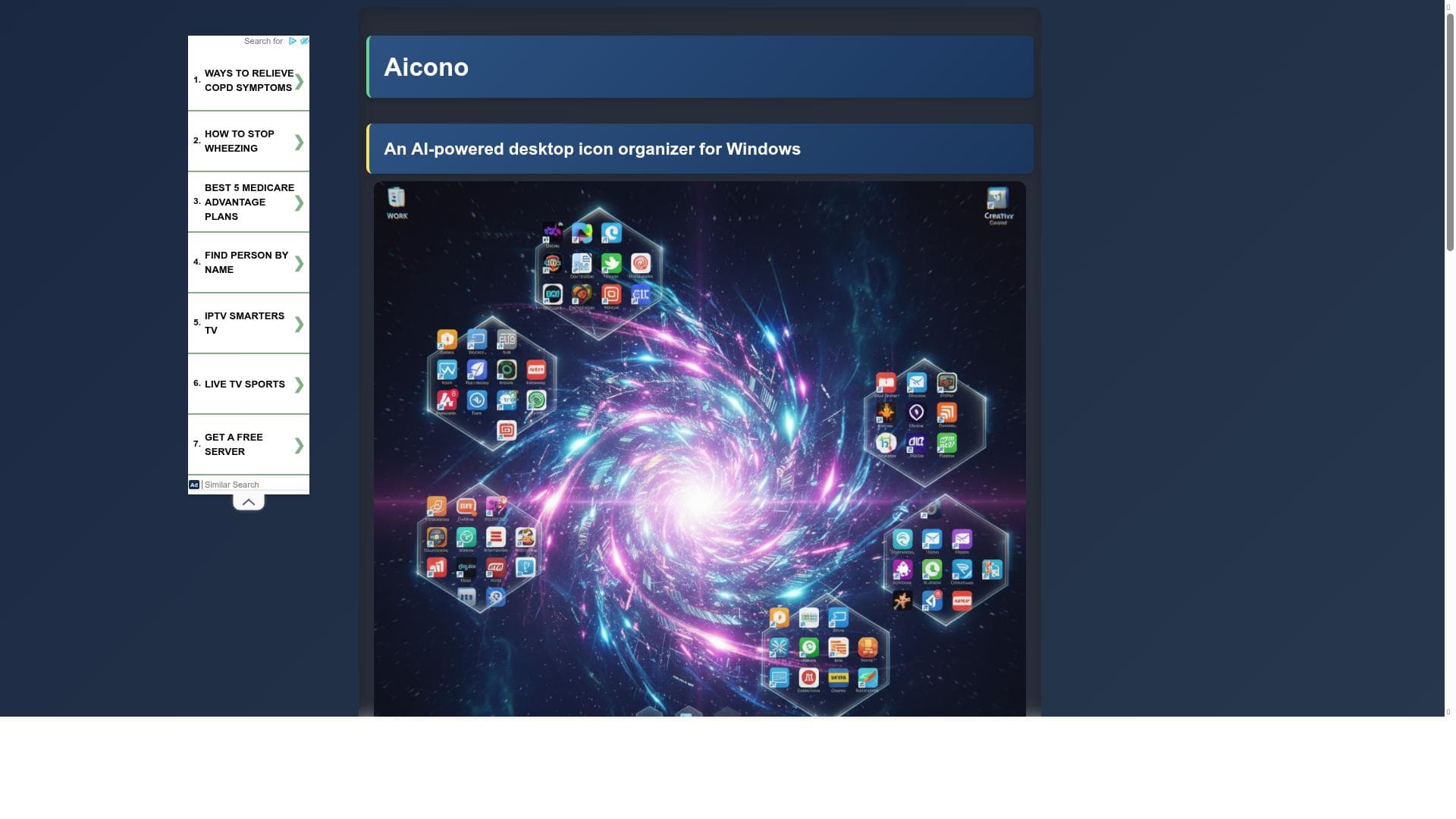
Aicono is a lightweight Windows utility that automatically groups and arranges desktop icons by semantic similarity, turning a cluttered desktop into a stable, high‑density grid that stays organized over time. It uses a fast local model for name/content similarity and a grid‑like layout for quick visual scanning, with adjustable spacing, filters, and WYSIWYG for instant access.

?

P. H.

Tool Pricing

Free

Views

65

Impression

27

Tool Features

  • AI-Powered Grouping: Automatically categorizes icons logically into groups like Work, Games, and Utilities.
  • Spatial Layout: Positions icon groups cohesively, clearly separated, and fits within a custom working area without overlaps.
  • Customizable Area: Select specific desktop regions for icon placement.
  • Visual Preview (WYSIWYG): See and approve the new layout before applying changes.
  • Full WYSIWYG Canvas Editor: Drag and drop icons between groups, rearrange groups, rename items, and adjust group boundaries visually.
  • Advanced Model Management: Connect to multiple cloud, on-prem, and local LLM backends including OpenAI, Mistral, Lemonade, Llamacpp, LM Studio, Ollama, and others.
  • Fully Configurable: All settings, from AI models to layout, are adjustable through the interface.
  • Portable App: No installation required, just run and go.

Frequently Asked Questions

What is Aicono?

Aicono is a lightweight Windows utility that automatically groups and arranges desktop icons by semantic similarity, turning a cluttered desktop into a stable, high‑density grid that stays organized over time. It uses a fast local model for name/content similarity and a grid‑like layout for quick visual scanning, with adjustable spacing, filters, and WYSIWYG for instant access.

Is Aicono free?

Yes, Aicono offers a free plan.

What can Aicono do?

Aicono can: AI-Powered Grouping: Automatically categorizes icons logically into groups like Work, Games, and Utilities., Spatial Layout: Positions icon groups cohesively, clearly separated, and fits within a custom working area without overlaps., Customizable Area: Select specific desktop regions for icon placement., Visual Preview (WYSIWYG): See and approve the new layout before applying changes., Full WYSIWYG Canvas Editor: Drag and drop icons between groups, rearrange groups, rename items, and adjust group boundaries visually..

Socials

Use Tool

Sponsored Tools

(0 Reviews)
Recommended Tools

AnswerThis

AnswerThis

Verified

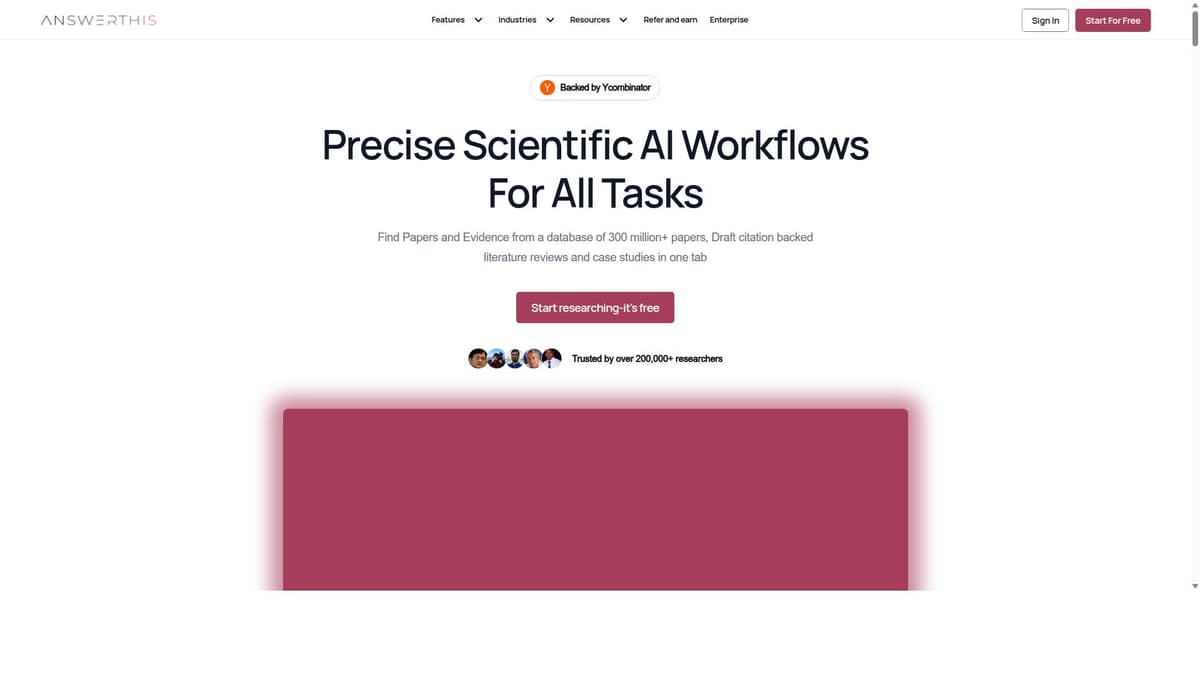
AnswerThis is an all-in-one AI research assistant built for students, academics, scientists, consultants, and professionals who need faster, smarter, and citation-backed research workflows. Unlike generic AI tools, AnswerThis is designed specifically for academic and scientific work—helping users search evidence, analyze literature, write drafts, organize sources, and uncover research gaps in one platform. With access to a database of 300M+ research papers, AnswerThis helps users instantly find credible sources, summarize complex topics, and generate structured outputs such as literature reviews, case studies, reports, and research drafts. Every output is backed by citations, making it ideal for serious research where accuracy and source transparency matter. Key Features: 1. AI Literature Reviews Generate comprehensive, publication-style literature reviews in minutes with line-by-line citations linked to source papers. 2. Advanced Evidence Search Search across 300M+ papers using intelligent filters to find top journals, relevant studies, and trustworthy evidence quickly. 3. Research Gap Finder Identify unexplored topics, missing angles, and future opportunities in your domain using AI-powered gap analysis. 4. AI Writing Assistant Draft papers, grants, case studies, slides, and rebuttals with built-in source support and smart editing tools. 5. Citation Management Supports 2000+ citation styles including APA, MLA, Chicago, and more for seamless academic formatting. 6. PDF Chat & Library Upload PDFs, chat with documents, extract insights, and keep all papers organized in one searchable research library. 7. Bibliometric Analysis Track top authors, trending keywords, journals, impact metrics, and concept relationships in your field. 8. Data Extraction & Export Extract methodology, findings, outcomes, and key details into structured tables or CSV files for analysis. 9. Collaboration Ready Create shared folders, workspaces, and team libraries for research groups and organizations. 10. Enterprise Grade Security Ideal for pharma, biotech, and regulatory teams with secure workflows, compliance-first systems, and private data handling. Why Users Love AnswerThis: * Saves hours of manual literature searching * Produces accurate, source-backed academic content * Replaces multiple tools with one workflow * Helps students complete dissertations and theses faster * Supports researchers with real evidence, not generic AI guesses * Great for universities, medical professionals, consultants, and R&D teams Best For: Researchers, PhD scholars, university students, professors, healthcare professionals, biotech teams, consultants, policy analysts, and anyone doing evidence-based writing or analysis. AnswerThis is one of the most complete AI research platforms available today. If your work depends on papers, citations, evidence, or academic writing, this tool can dramatically improve productivity while maintaining research quality and credibility.

  • AI-powered comprehensive answers
  • Direct citations from 250M+ verified research sources
  • Fast response time in minutes

349

VIEWS

33

UPVOTES

$30

/MO

Alternative Tools

Stay updated on latest Ai tools

Get the latest insights, Join our newsletter

Read and trusted by 50,000+ readers

Join the biggest AI Community

Our community and staff are here to help!
Your feedback will help Alice AI improve in future versions.

https://x.com/poweredbyai_app?utm_source=PoweredbyAI&utm_medium=Discord&utm_campaign=main_sitehttps://discord.gg/kzca34z2AQ?utm_source=PoweredbyAI&utm_medium=Discord&utm_campaign=main_sitehttps://www.linkedin.com/company/poweredbyai/?utm_source=PoweredbyAI&utm_medium=LinkedIn_footer&utm_campaign=main_sitehttps://www.instagram.com/poweredbyai.app?utm_source=PoweredbyAI&utm_medium=Instagram_footer&utm_campaign=main_sitehttps://www.youtube.com/@Poweredbyai_official?utm_source=PoweredbyAI&utm_medium=YouTube_footer&utm_campaign=main_sitehttps://www.facebook.com/poweredbyaiapp?utm_source=PoweredbyAI&utm_medium=Facebook&utm_campaign=main_sitemailto:support@poweredbyai.app?utm_source=PoweredbyAI&utm_medium=Email_footer&utm_campaign=main_site
Use Tool